Once again, we met for a Geometry Nodes workshop after the Blender Conference to discuss many design topics. This post gives a general overview of the topics that were discussed. You can also read all the notes we took during the meetings.
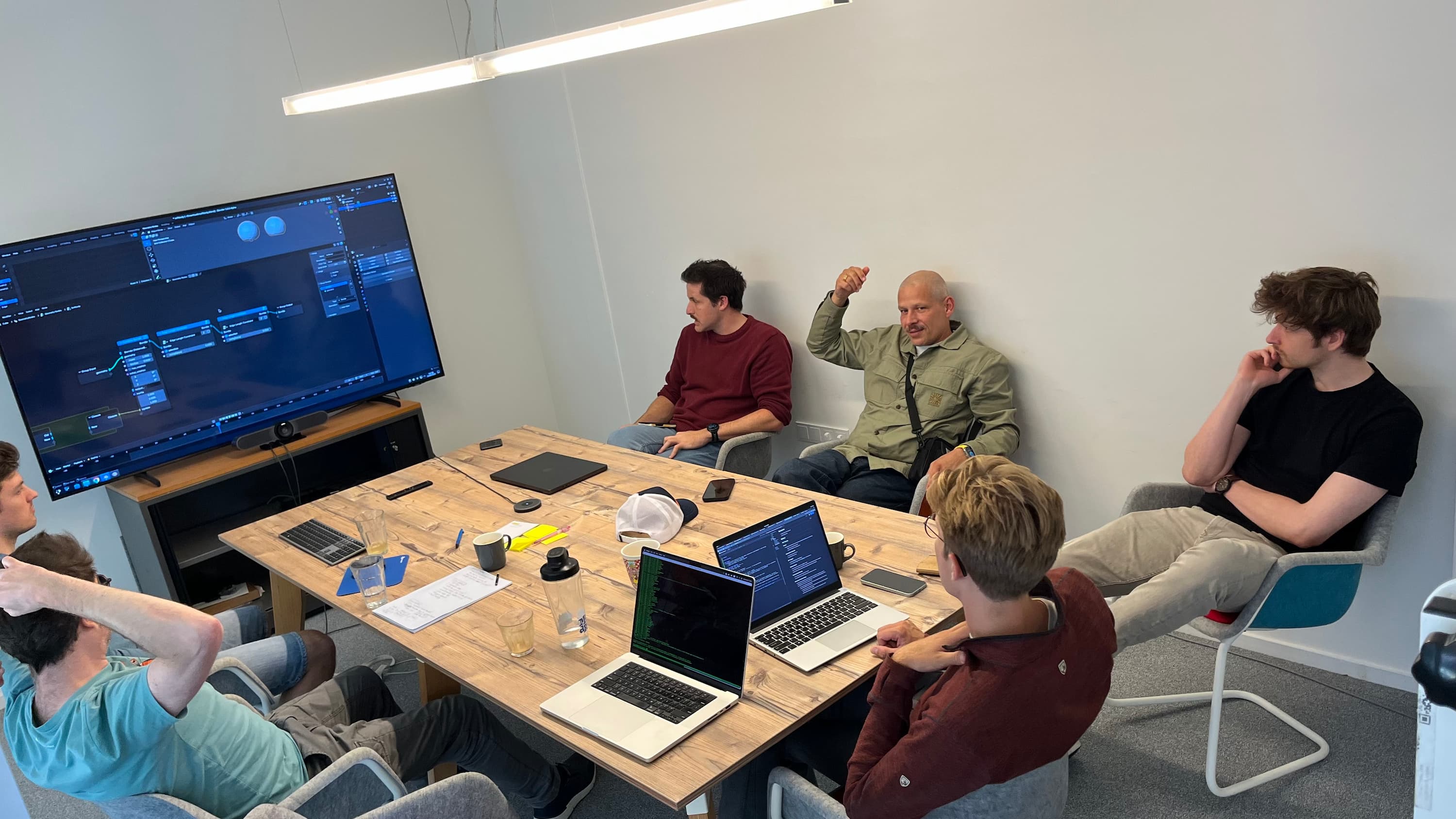
This time we invited two guests from the community: Brady Johnston, developer of the Molecular Nodes add-on, and Manuel Casasola Merkle from Entagma.
Previously in Geometry Nodes
Our last workshop was just 2.5 months ago. Still, a lot has happened since then. Many of the improvements made it into the upcoming Blender 5.0 release.
- Closures and Bundles: They are non-experimental now. There is a separate blog post about them. In a surprising turn of events, they are even supported in Shader Nodes now, together with repeat zones.
- Socket Shapes: The updates to socket shapes are also out of experimental. Another separate blog post describes the changes in more detail.
- Volumes: The new volume grid nodes are out of experimental too! Yet another blog post describes what they are and how to use them.
- Lists: An initial version of lists has been merged as experimental feature. Design and implementation work is ongoing.
- Hair Project: This is still ongoing. There have been lots of experiments regarding integrating physics solvers. There was a talk about this at the Blender Conference.
- Essentials Assets: There are various new built-in node groups to ease working Geometry Nodes.
- Viewer: The new viewer nodes design discussed in the last workshop has been implemented.
- Tangents: A new UV Tangent node gives access to tangent vectors on a mesh.
Checkout the release notes for a more complete overview of all the changes coming to Blender 5.0.
Essentials Assets
With Blender 5.0 we overcome one of the major technical hurdles of shipping more assets with Blender. Appending and linking were both very problematic ways to add essential assets to user files. Now there is packing: a new way to have linked data-blocks which are also stored in the current .blend file, keeping it self-contained.
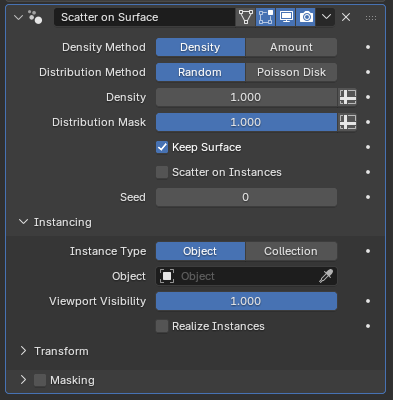
The most impactful new assets are the six new modifiers which are all based on Geometry Nodes. They offer support for flexible arrays, scattering and instancing out-of-the-box. There are also new lower-level node group assets which simplify some common tasks in Geometry Nodes. Lastly, there are new built-in effects for the compositor, although those were designed and implemented by another team.
The list of new modifiers and nodes was agreed on before the workshop, but during the workshop we did a pass over the new node groups and found various things to improve before the release. All of those improvements are already included in the latest builds.
Physics Bundles
We want to integrate physics solvers as declarative systems. On the user level the intended behavior will be described using force fields, collider objects and various other constraints, while the solver nodes figure out how simulate everything correctly.
One of the main aspects to figure out here is how to to pass the information about the simulation world into the solver. We intend to do that using bundles with a certain expected structure. There have been various experiments implementing a custom XPBD solver and exposing Bullet, Jolt and, Box2D.
At a high level, a solver node takes a bundle describing the entire simulation world as input, modifies it, and outputs the modified bundle, within a simulation zone so that the node gets the previous output as the next input. Using a separate node, the bundle can be updated from the outside of the simulation zone to take changes to the simulation world into account. A new node to simplify this process by updating a bundle from another bundle using custom rules is planned.
Physics Solver
The first actual solver we are building is an XPBD solver, with an initial focus on hair simulation (for which there don’t seem to be great existing libraries which we can just use). While the basics work already, there are still many aspects that need to be implemented.
During the workshop, we went over various implementation details for the solver and also tried to prioritize them.
- Collision handling: Accurate and stable collision detection and contact handling is of great importance. We looked into the difference between using SDFs and BVH trees for collision detection. While SDFs are great for efficiently checking that a point is not intersecting a collider, they have some accuracy issues and construction may be costly depending on the use-case. BVH tree lookups are slower, but much more precise. The current BVH tree implementation in Blender could probably be optimized quite a bit. We’re hoping that using an optimized library like Embree can help with that. In the end it seems like some hybrid solution would be best, but for now using BVH trees seems like the better way to go.
- Solver Outputs: Solvers generally produces a lot of additional data can be useful for further effects or troubleshooting. The overall design using the physics world bundles makes outputting additional data fairly straight forward. For troubleshooting, a very useful number to output whould be a measure of the quality of the constraint solve. That’s because if the simulation looks bad, there can be two main reasons: either the constraints are setup badly or the solver needs more substeps. It’s easy to overcompensate the wrong aspect leading to less stable simulations.
- Rest shape initialization: Properly computing the rest shape for groomed hair is necessary because generally the hair is groomed assuming there is gravity, and if the simulation applies gravity again, the hair will sag. The solution here is to do something like a “reverse solve” that computes hair segment lengths and rotations (among other things) such that when gravity is applied again, the hair sags into the provided groom. The situation becomes more complex when colliders also have to be taken into account instead of just gravity. It’s not exactly obvious at which stage this inverse solve should happen. It can happen automatically in the solver, or in a separate node, or even more explicitly as part of grooming. The argument for that latter is that at that stage, Blender knows best what colliders etc. were taken into account for the groom which might be different from what is available during the simulation solve, e.g. when the character is animated. As a first step, it still seems best to get it working as part of the solver though to test the algorithm. We might still want to separate it out before the release though after some more testing.
A few more topics have been discussed, see the devtalk thread for some more details.
Object Bundle Output
Many use-cases require outputting more complex data from a Geometry Nodes modifier than just geometry. For example, one could output multiple meshes, single values for driving animations, or even imagine outputting fields or closures to be used as effectors on other objects.
Now that we have bundles, it seems obvious that we can achieve all of that by just outputting a bundle from a Geometry Nodes modifier that can then be read from other objects using e.g. the Object Info node.
The main question is how exactly to output that bundle. One could have a separate bundle output socket, but that would require complicating many other aspects. Other modifiers would also have to pass through this extra bundle or we would need to make special rules for how it is propagated.
Another alternative could be to output just a bundle, and the main geometry can just be part of that bundle. This has similar downsides to the previous approach: it’s inconvenient and requires changes in many existing systems.
Yet another approach would be to allow storing a bundle inside of a geometry set. There is already a prototype for this. This can be thought of as having geometry-wide attributes, just that they can contain any kind of data supported by Geometry Nodes. There would be new nodes to get and set the geometry’s bundle similar to those that already control the name. The bundle is already propagated properly in existing setups and the implementation is generally simple. After some back-and-forth, we agreed that this approach seems best.
Regardless of the approach, the question of how the bundle interacts with custom properties remains. However, it seems like this is an independent system. It is stored very differently and supports very different kinds of data which can’t be stored as custom properties (e.g. fields). That means that we’ll need a new type of driver variable to access these bundle items.
Zoomed Out Node Editor Drawing
With the recent improvements to frame nodes, we want to encourage the use of frames even more to simplify reading node groups.
One approach that seems good is to draw the node tree more abstractly when zoomed out so far that labels become unreadable. In this case, frames and their labels could become more prominent, making it easier to orient yourself in the tree.
This is also related to having a minimap of the node tree, but would span the entire node editor. The design problems are similar though: one needs to choose what to draw and what to skip to keep the view useful without being overloaded.
Obviously, whether this really works out depends a lot on how it actually looks. We did not have time to create proper designs for this view. We’d like to invite the community to share mockups.
Default Inputs
More customizable group defaults are a recurring topic that’s surprisingly tricky. An initial proposal did have significant limitations and many other proposed solutions where either small design changes of that proposal or had problems with composability (creating a group from a single node should have the same behavior as the original node).
We discussed a new approach to solve this, which seems promising: Support assigning another node group to a group input which computes the default value of that input. For example, there could be a small node group that just outputs a noise field and that node group can be used as default input for a float field socket. The main benefits of this approach is that it solves the problem of composability, makes defaults easy to reuse and keeps each node tree cleaner.
This would involve extending the existing “Default Input” dropdown to contain an option called “Node Group”. This way, one could still use the default inputs for simple cases, but can also use custom defaults.
Additionally, we agreed that it seems reasonable to support custom attribute names are defaults too, even though that could also be achieved with the even more flexible node group inputs.
Multi-Object Node Tools
During the conference there was a brief discussion about whether instances could be a simple way to process objects with node tools. This would allow moving, creating, or deleting objects with Geometry Nodes. By adding an “execution mode” to the tool node group, we can keep existing groups working, and keep the doors open for even broader ways to process scene data with nodes in the future.
We made an implementation right after the conference, and the design turned out to work well and not require many code changes. However, considering all the ways object data can be shared between objects, it became clear that we needed proper support for string attributes to store object names before this can be considered complete.
Modal Node Tools
Over the last year we have spent some time prototyping modal node tools, which made some issues clear. In this workshop we cleared up enough design topics that the next step is likely to be something less temporary than a prototype.
We reiterated that simulation zones should handle the intra-evaluation storage the same way as the modifier.
We agreed that we should change from registering a single operator for all node tools to registering a separate operator for each node tool. The current situation is stretching Blender’s operator design far too thin, and would make the implementation of modal keymaps too difficult.
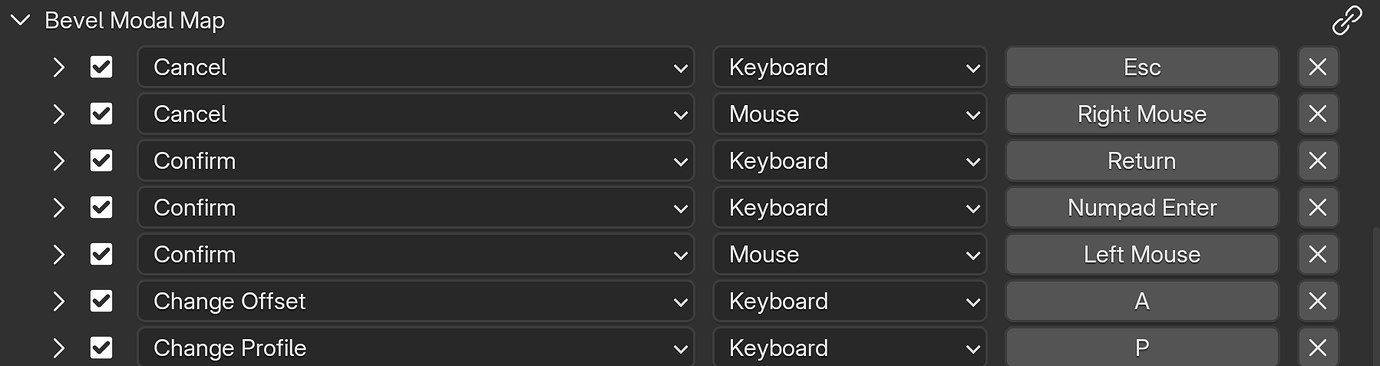
We also settled on a different design for getting user inputs into the node graph. Modal keymaps can be defined by a “Modal Event” node within the node tool tree. These contain the name of a keymap item and a boolean output when that item is active. The default keymap is configured in the side panel of the node editor, and user keymaps are configured in the keymap editor, just like any existing operator. Compared with the last design we discussed, using a separate node for every modal input should make it much simpler to build modal tools.
Volumes
Volumes kept coming up in our discussion about simulations. We hadn’t planned on it, but we agreed that it would be good to finally get the Geometry Nodes volume grid features shipped in Blender 5.0. A separate blog post goes into more detail about that.
We didn’t make decisions about volumes beyond 5.0, besides agreeing on a number of useful features, including a pressure solver, point rasterization, and raycasting.
Lists
Lists are an ongoing development topic, with the first iterations already in the main branch as an experimental feature. To make more progress, some design decisions had to be made. We agreed that nodes to create lists from fields and closures should have multiple inputs and produce multiple outputs. We also considered the what should happen nodes process a combination of single values, lists, and fields.
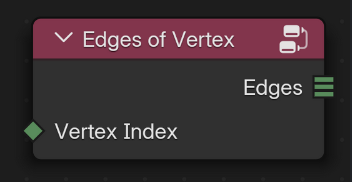
Most of the interest in lists is related to list fields (i.e. a list of values for every vertex), for example as an important simplification to the currently complicated mesh topology nodes. We agreed that the non-fields lists should be working properly, discussed some implementation details about field evaluation with lists, and agreed that storing lists as attributes doesn’t have to be part of the initial implementation.
Miscellaneous
Besides all these topics, we also went over many other topics which are just mentioned briefly below.
We reviewed a few patches that were in flight already, including the viewer node redesign, the community-contributed swap operator, the UV Tangent node, dynamic output visibility, add buttons in switch nodes, bundle/closure type definition, optional labels and optional manage panel.
We were also briefly part of a compositor meeting discussing how to do layered compositing and how to make the compositor more reusable in general.
A little fun fact: Brady noticed that an icon resembling DNA was actually mirrored. This was fixed.
For part of the workshop we did a group programming session where we streamed up to three laptops to the same screen, working on different patches at the same time. That was a fun little experience and also helped a whole lot getting Brady up to speed with node development, which was incredibly helpful to get volume grid nodes in a releasable state for Blender 5.0.
Support Blender
Development requires dedicated design and development resources.
Donate monthly or one-time to help make this happen.